Student Privacy and Name Pickers: What to Type In (and What to Leave Out)
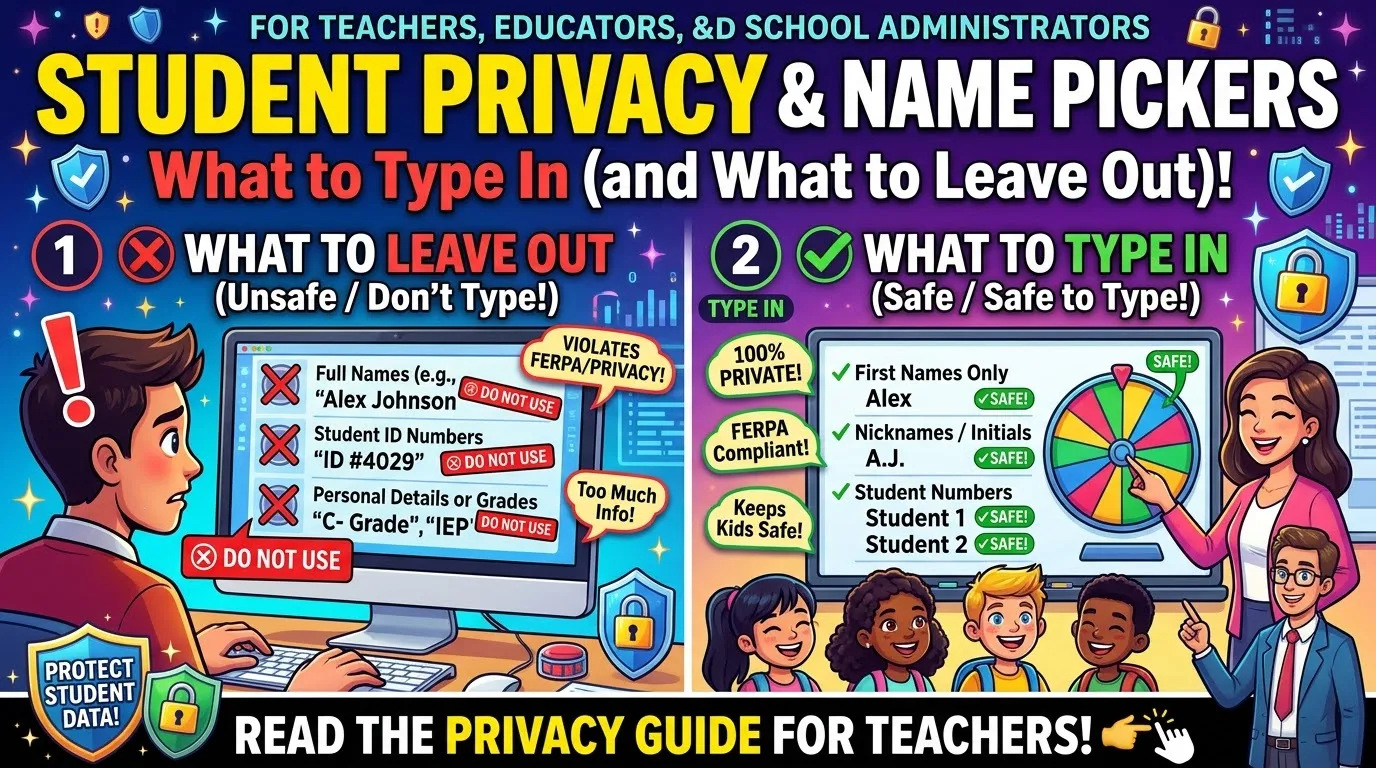
Student Privacy & Name Picker Tools When using a name picker tool, you should only add information that will help you identify the correct student. This includes their first names, nickname, initials or numbers. Do not include their surname, ID numbers, DOB, grades, learning support requirements or any other information that can identify the child. Please check the policy on your school and the privacy policy of the name picker tool.
By Malik Aiesh Bahadur
This is general information, not legal advice. Rules differ by school, district and country, so check your own school's policy.
Why this matters
While the name picker does not seem like much of a risk, the class list contains personal information about the students and teachers are responsible for this data. Student privacy guidelines mean that personal information includes a student's name, address, grades, attendance, health or support information and any information generated by using a tool.
This includes any information that could identify them. This doesn't necessarily have to be their full name. A list of first names and school name could be enough to identify the child. Especially if there aren't many students in the class.
There are many laws and guidelines. In the US there is FERPA which protects education records and COPPA which protects online privacy for children under 13. Other countries will have their own laws and many schools and districts will have their own guidelines. For example requiring permission to be given before a new tool is used. However, I won't go into detail about them all. The safest way to go about it is to be cautious and this will work almost everywhere.
What to type: a three-level guide
|
Level |
Examples |
Why |
|---|---|---|
|
Safe to use |
First names, nicknames, initials, numbers, labels such as "Student A" |
Enough to run the wheel, with little that identifies a child |
|
Think twice |
First name plus last initial, photos, class or form numbers next to names, two entries that together point to one child |
Can identify students in a small class or combine with other information |
|
Leave out |
Full names with ID numbers, birth dates, addresses, parent names, grades, test results, behavior notes, lunch status, health notes, support needs |
Sensitive or identifying, and not needed to pick a name |
A name picker needs a short label that your class recognizes. That is all.
The simple test
The school guidance provides us with a useful question to ask ourselves when entering data into a website: If this text was put online, would someone in my community be able to tell which student it relates to?
If they could then we need to adjust what we enter. Entering just a list of first names (for example in a class of 28) would be a safer option as there are lots of children with the same name and the list doesn’t give any information. However if we add a comment saying one of the names is on a support plan it completely changes things. Be honest with yourself that using first names would be a safer option but not a completely safe option. If unsure then go with numbers.
Practical settings that matter
Use a tool that does not need an account. If you do not log in, there is no profile with your class list attached to it. Many wheel tools work this way.
Be careful with saved lists. Saving a class list to an online account stores student names with a company. Do that only with a tool your school has approved.
Treat shared links as public. A link to a wheel may let anyone who has it see the entries. Do not post a link to a wheel with student names on a public page or in a group chat.
Watch your screenshots. A photo of a projector showing names can end up in a newsletter, a message or a social media post. Check what is visible first.
Do not put sensitive categories on a wheel. A wheel with entries such as "students who need extra help" or "free lunch" is a record of sensitive information. Keep that kind of data out of any online tool.
Clear the list when you finish. Delete or reset wheels at the end of the term.
The numbers method for sensitive uses
Sometimes you just want to have the wheel with no names on it.
Number each student and keep a list of the numbers on paper. Place these numbers on the wheel. When it lands on 14, look at your list and call the student. No names will be seen on the tool or by the class. This is good for 1-1 feedback, or quiet warm calls, or just if you don't want to have a name on the projector.
Children can also choose a nickname or code name for the term. This only takes a minute and some children enjoy doing it.
How to check any tool's privacy policy
You do not need a law degree. Look for answers to these questions on the tool's privacy page.
- Does it need an account? Fewer accounts mean less stored data.
- Does it store my list? If so, where, and for how long?
- Does it say names stay in the browser? Some tools process the list on your device only.
- Does it share data with advertisers or other companies? Be wary of any tool that does so for children.
- What cookies and ads run on the page? Ads aimed at children are a concern.
- Is there an age limit? Some tools say they are not for children under 13.
- Can I delete my data? Look for a clear way to ask.
- Is there a contact for questions? A real address is a good sign.
You should be wary of free tools. As one district explains: 'Some free tools (AI) may have monetized data in a way that is not aligned with student privacy regulations.' Not all will but it is worth checking.
What about Wheel Spiner?
[ADD: Please add a brief paragraph with factual information relating to your privacy policy and product. Include any information relating to if an account is required, if the lists are stored on our servers or in the browser only, if any links are public, what cookies and adverts are used, how to get in touch. Please only include accurate information relevant to today. Please include a link to your Privacy Policy.]
You can read all the details in our Privacy Policy. If you wish to run a wheel with extra caution please use numbers or nicknames as outlined above.
Names on a projector: dignity as well as privacy
Privacy considerations are important. Having their name shown on a large screen can make some students uncomfortable. Some children may not want to have their name shown if they have recently changed their name, have a sensitive family situation or just don’t like being in the spotlight.
Ask your students what they would like to be called when using the wheel. They can give themselves a nickname or just an initial. If you spin the wheel in private before the lesson you won’t have this issue. Here I look at spinning the wheel in private or public to avoid embarrassing students when cold calling.
Ask your school
If you are not sure whether you can use a wheel, ask. Most schools have a person in charge of technology or data. A short message works.
"I would like to use an online random name picker in my class to choose students for questions. I would enter first names or numbers only, with no accounts and no saved data. Could you tell me whether this tool is approved, or what I need to do to have it reviewed?"
Put the tool's name and link in the message. Many schools can answer in a day, and it protects you.
A short note for families
If your class sends information home, one sentence is enough.
"We sometimes use an online random name picker in class. It uses first names or numbers only, and we do not enter any other information about students."
Frequently asked questions
Can I put my class list in a random name picker?
Normally yes. If you use first names, nicknames or numbers, follow your schools policy and look at the privacy statement.
Are first names personal data?
It depends on the situation and the law. A first name has a low risk of being personally identifying but if there is more information with the first name it can identify the child.
Is it safe to share a link to my wheel?
Treat a shared link as public. Do not share a link to a wheel with real student names outside your class.
What should I never put on a wheel?
Full names with ID numbers, birth dates, addresses, grades, behavior notes, health information and support needs.
Do I need school approval to use a name picker?
It depends on your school. Many require approval for any new tool. Ask your technology or data contact.
Is this legal advice?
No. It is general guidance. Check your school's policy and your local law.
Try it
Spin Wheel. Enter first names or numbers only into the Spin Wheel and choose one of the 12 fair participation routines. If you are new to using wheels then how to make a spin wheel in 60 seconds will take you one minute to make.