Group Work Roles Wheel: How to Assign Roles Fairly
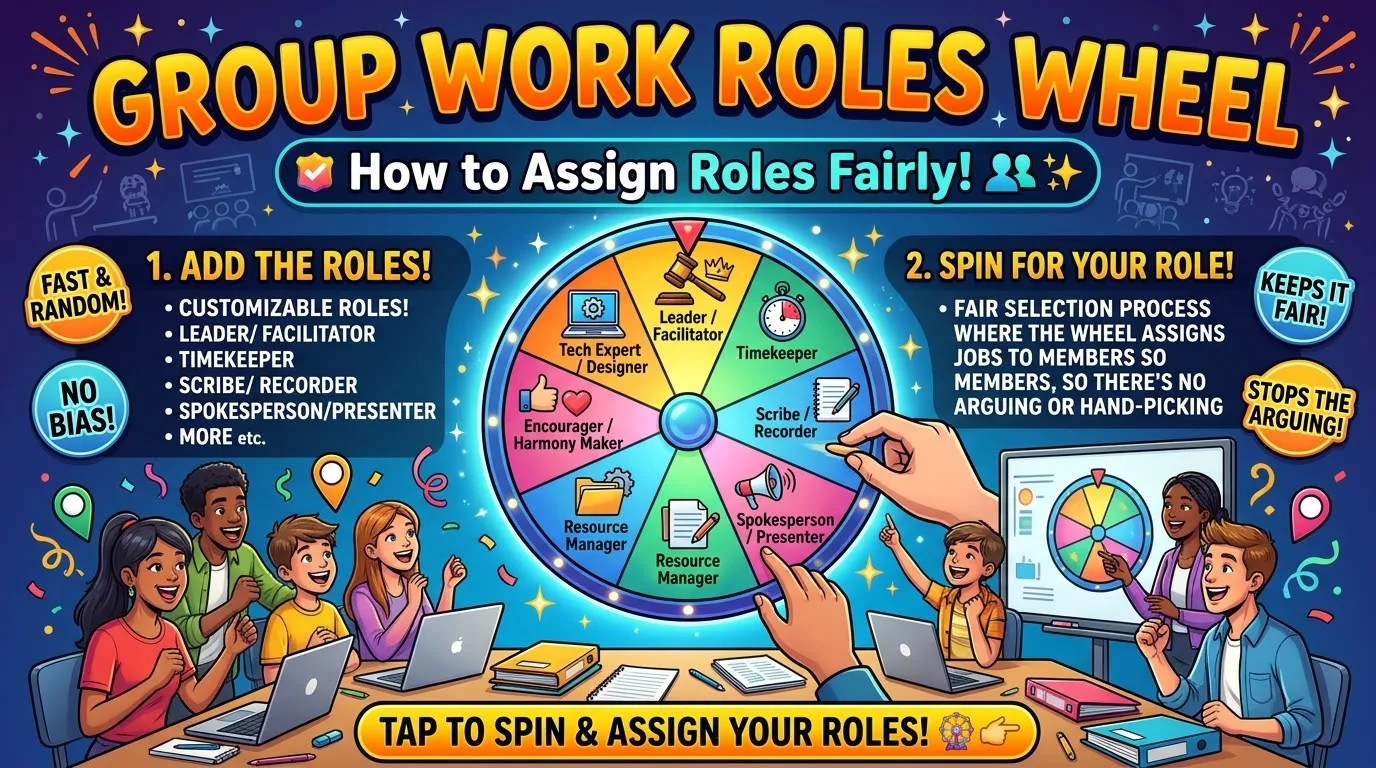
Group Work Roles Wheel To assign fair roles for group work, add the roles to a spin wheel with the option to remove items. Each student can have a go at spinning the wheel and taking their role. Then move the roles one position clockwise for the next task. This ensures that there are no biased starting points and everyone will attempt all roles.
By Malik Aiesh Bahadur
Why give groups roles at all?
If there are no roles within a group this can lead to one person doing all the work while others sit back. By allocating roles to everyone, you ensure that everyone has a set task to complete which makes it harder to hide. Everyone can contribute. Teaching resources for cooperative learning such as those provided by the Open University show that the goal is to ensure that everyone learns.
This is why roles should be varied. Doing the same role once will not teach you much. You will be stuck in your comfort zone.
Choose roles by group size
Do not hand out six roles to a group of three. Pick the roles that matter for the task and keep them few.
|
Group size |
Suggested roles |
|---|---|
|
2 |
Reporter and Timekeeper (each also does the work) |
|
3 |
Facilitator, Recorder, Reporter |
|
4 |
Facilitator, Recorder, Reporter, Materials Manager |
|
5 |
Add a Checker |
|
6 |
Add an Encourager |
For older students or longer projects you can also use roles such as Questioner to ask deeper questions or Prioritizer to keep the group focused on the key issue.
The roles, with words students can use
This makes it easier to play the role. Write them on little cards or put them on the slide. The following are some examples but can be adapted to suit the age of your class.
|
Role |
Job |
Sentence starters |
|---|---|---|
|
Facilitator |
Keeps the group on task and makes sure everyone knows what to do |
"Let's check the instructions." "Who hasn't shared yet?" |
|
Recorder |
Writes down the group's ideas and answers |
"Can you say that again so I get it right?" "Is this what we agreed?" |
|
Reporter |
Shares the group's work with the class |
"Our group found that..." "We decided because..." |
|
Timekeeper |
Watches the clock and gives warnings |
"We have five minutes left." "Let's move on." |
|
Materials Manager |
Collects and returns materials |
"I'll get what we need." "Please put your things back." |
|
Checker |
Checks that everyone understands |
"Can someone explain this in their own words?" |
|
Encourager |
Invites ideas and celebrates progress |
"That's a good point." "What do you think?" |
|
Questioner |
Asks questions that push thinking |
"What if we tried...?" "How do we know?" |
How to assign roles with a wheel
There are two methods that can be used. Personally, I like method A.
Method A: Role wheel. Put your roles onto a wheel with the number of roles you have for your group size. Turn on the ‘remove item’ option. Each student will spin once. Each role will be removed after being selected meaning that each role will be given once. The final student will get the final role with no spin. There will need to be one wheel per group or one wheel for the class with roles allocated by table. To ensure that the wheel does not give the same result more than once, the remove option should be turned on.
Method B: Name wheel. Put the names of your group onto a wheel with the remove option turned on. Spin once for each role. Spin for the Facilitator first, then the Recorder etc. This works well for allocating roles to the whole class as everyone can watch. It is a faster option if you are doing it yourself.
If you are also creating groups, use the Random Team Generator. There are other ways to create fair teams using the fair teams guide.
Spin once, then rotate
If you randomly allocate the roles for each task, some students will end up doing the same role twice whilst others will never do the role. A better way is to spin once and then rotate.
To begin with the roles are allocated by spinning. Then all students move one place clockwise. They will now be doing the role of the person to their left. After a few tasks all students will have done all the roles. This is a similar idea to many problem based learning sheets where everything is rotated clockwise.
A simple table can be created with names along the left and tasks across the top.
Teach the roles before you use them
Don't assume that your students will know what a Timekeeper is. Show them what it involves by doing a 10 minute example at the start of the term.
Ask one group to demonstrate a simple task. Use the narrative to describe each role, e.g. 'The Checker asked someone to explain in their own words.' Let all groups try out the roles using an easy task.
Support students who find a role hard
Some roles make students feel nervous. Reporter means having to talk in front of the class and Facilitator means leading your peers. If a shy student is given one of these roles by accident they may panic.
Some strategies to help: Let the Reporter practise talking to their group. Have a joint Reporter so two students can share the role. Give students role cards with sentence starters. Pair the roles up so that they have a more confident partner when they take turns. For more on how to be kind when asking students to talk see cold calling without embarrassing students.
Avoid the skill trap
I agree with the point made in the Open University guide. By not always having the best writer in the group it means that students will not practice the other skills. Those who aren’t very good at a particular role will not improve.
This can be resolved by using random allocation and rotation. If a student is genuinely struggling with a role due to a specific need then you should have a conversation with them and adapt the role.
Common problems and fixes
|
Problem |
What is happening |
Fix |
|---|---|---|
|
One student ignores their role |
Not sure what to do, or does not care |
Give a role card and check in once |
|
One student does everything |
Others are hanging back |
Make roles necessary to the task, such as only the Recorder may write |
|
Roles are done but nobody learns |
The task is too easy |
Make the task need all roles |
|
A role feels pointless |
Too many roles for the task |
Use fewer roles |
|
Roles cause arguments |
Students dislike what they got |
Remind them that everyone rotates and the wheel decided |
|
The Reporter freezes |
Nervous |
Rehearse in the group, allow a co-reporter |
Reflection questions
Take two minutes at the end of every task. Ask each student to answer in writing.
- What was my role and how well did I do it?
- What did I learn from someone else's role?
- What would I do differently next time?
This turns roles into learning, not just organization. It also helps students see what each role is for.
Online groups and breakout rooms
Assign roles to your students. Show them your screen and spin the wheel for each room. List the roles in the chat or on a slide. Keep the roles to a minimum as it can be hard to keep track of too many roles during a video call. Have the Timekeeper add the time updates to the chat.
If you need a quick reset between tasks then taking a short break can help. See 30 two minute brain breaks.
Frequently asked questions
What are good roles for group work?
Most roles can be covered by having someone to facilitate, record, report, time and manage resources. If working in larger groups you may also wish to have a checker, encourager or questioner.
How do I assign group roles fairly?
Use a wheel with removal so each role is picked once, then rotate roles each task so everyone tries them all.
How many roles should a group have?
One per student, and no more than the task needs. Pairs need two. Groups of six can use six.
Should students pick their own roles?
Sometimes but students will often pick roles they are good at. By randomly allocating and rotating roles everyone gets more practice at a wider variety of roles.
How do I help a shy student with the Reporter role?
Let them rehearse with the group, allow a co-reporter and give them a card with sentence starters.
Can I use this for adult teams?
Yes. The same roles work for meetings and projects. Put the roles on a wheel and rotate each week.
Try it
Open up the Spin Wheel. Enter the roles for your group size. Toggle on ‘remove’ and let each student have a go. You can also view some pre-written wheels using the templates tab. To ensure students get a fair amount of turns outside of group work there are 12 fair participation routines.